Tangram Shape Builder: Cover Every Silhouette with Seven Pieces
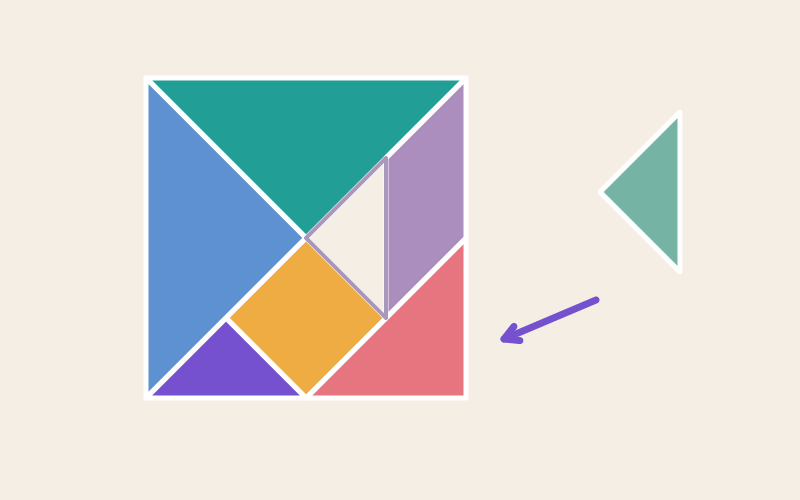
Drag, rotate and flip seven pieces to complete a changing tangram silhouette.
Compare the Outline, Then Choose a Move, Rotation, or Flip
Drag, rotate or flip the seven tangram pieces to cover a target silhouette. Check your 0/7 to 7/7 fit progress, then move to the next puzzle or generate another target.
From Naming Shapes to Rigid Motions: A Grades 1–6 Geometry Arc
Early players build on naming and joining shapes (1.G.A.2) as they assemble a silhouette from smaller polygons. The rotate-and-flip mechanic previews the rigid motions—translation, rotation, and reflection—that formalize under later geometry standards (4.G.A.3, 8.G.A.1), while swapping equal triangles foreshadows area conservation and shape composition (3.G.A.2, 6.G.A.1).
Learning Points
- spatial transformation
- multi-step planning
- working memory
- strategy review
Steps and completion rules
- Inspect the generated target and select a piece.
- Move, rotate, or flip each of the seven pieces into a matching target; check orientation after using placement controls.
- Fit all seven pieces to finish. New puzzle and Next puzzle each generate another target arrangement.
Teacher / Parent Note
Ask students to predict whether a piece needs translation, rotation, or reflection before moving it. Swap two equal-sized triangles and discuss why the colors change while the covered shape stays the same, then compare a parallelogram with its reflection.